Building Pipillon: burnt parts, all-nighters and lessons learned
2026-09-29
Pipillon is a voice assistant that runs completely offline. A Raspberry Pi Pico 2 W is the face and ears: a microphone, a speaker, and a little OLED that blinks and looks around. A Raspberry Pi 5 does the actual thinking. It runs whisper.cpp to understand me, Qwen 3.5 2B to come up with an answer, and Piper to say it out loud. Nothing goes to the cloud.
I built most of it over about two weeks at the end of the summer, and a lot of that was at night. There were some all-nighters where I looked up and it was already light outside. I loved every one of them, even the ones where nothing worked.
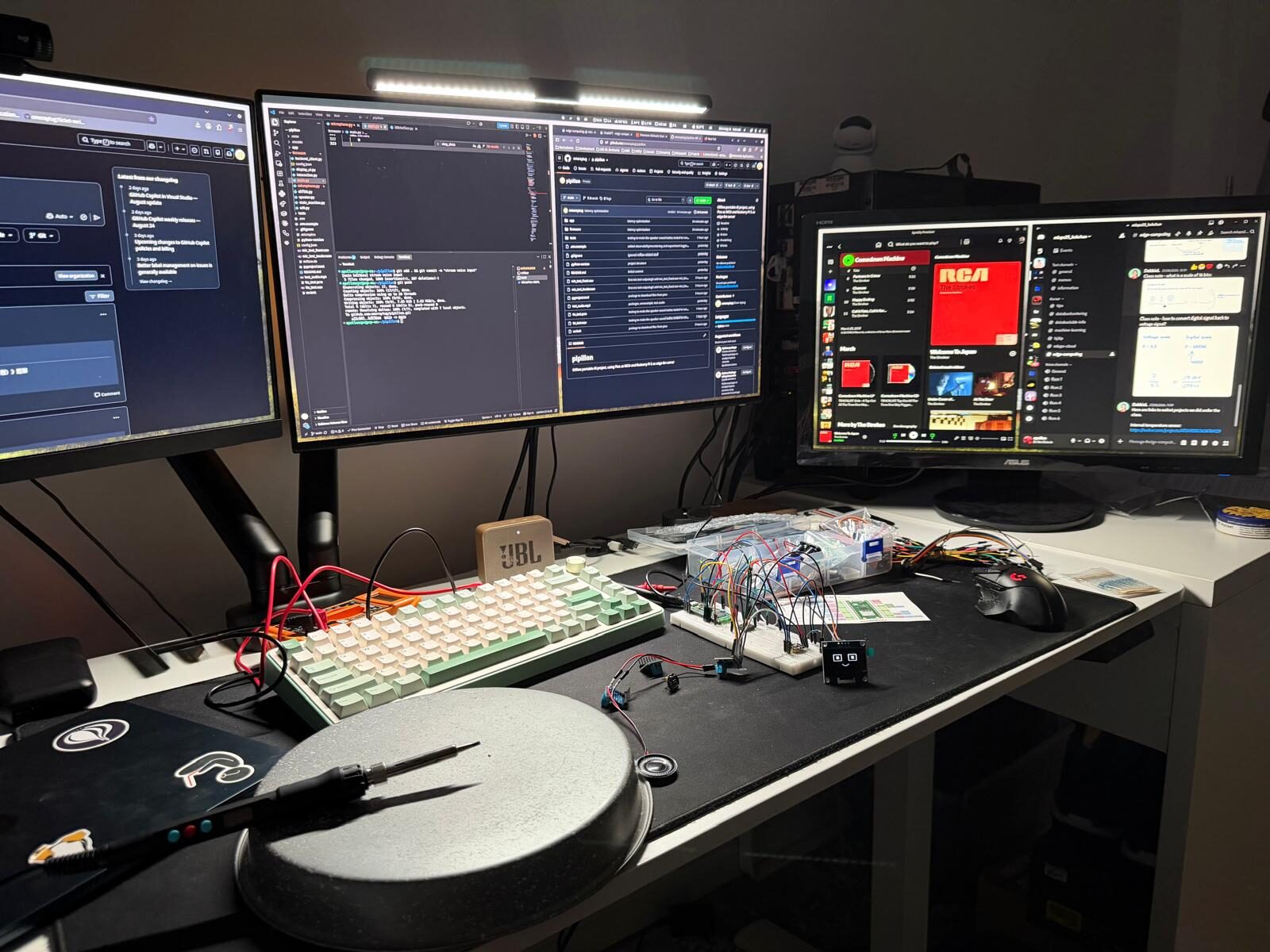
The soldering
I burned several components along the way while soldering.
The worst stretch was the speaker. I soldered three audio amplifier boards and only the third one worked. It took me about three hours to get there, because when a speaker stays silent you don't know why. Bad solder joint? Wrong wiring? Wrong pin in my code? Did I already cook the board? Any of those looks exactly the same from the outside.
If I did it again I would buy spares of everything cheap before starting. Three hours is a lot more expensive than a couple of extra boards. I would also stop changing three things at once, because then you never find out which one fixed it.
When the third one finally made a sound I was so happy. It's alive, I can hear him!
Testing things one at a time
I kept a folder of tiny test programs, one for the microphone, one for the speaker, one for the OLED and one for Wi-Fi. They aren't part of the real firmware, they only exist to prove that a single piece works on its own.
For the microphone I recorded myself and listened back with different gain settings. Just seeing that it picked up something wasn't enough, I wanted to hear my own voice come out right. This paid off later. When something broke, I already knew which parts were fine.
The speaker sounded bad at one point and I couldn't tell if it was the speaker or the voice model. So I ran the text-to-speech on my PC to check the model by itself. Splitting the problem in half like that is way faster than staring at everything at once.
Cloud first, then local
The first working version wasn't offline at all. It used OpenAI for the speech and the answers, with the backend running on my PC. That let me build everything on the Pico side, like the button, the states and the face animations, without also fighting model speed.
Once the whole loop worked I swapped in the local models. I tried them on my PC with the Pico first, and only then moved them to the Pi 5. If I had tried to go fully offline from the first hour I'd probably still be debugging.
Making it feel fast
A voice assistant that takes ten seconds to answer feels broken. I warm up the language model when the backend starts, so the first question isn't slow. And Piper starts talking with short phrases while Qwen is still writing the rest of the answer in the background.
Right now it takes about 5.5 to 7 seconds on the Pi 5 from when I stop talking to when it starts answering. That's not fast, but it works, and I'd rather have it reliable first.
The bug that never told me anything
Later I added tools, like timers and a proper way to answer questions about the date and time. When I asked something like "what time is it in Tokyo", the model was supposed to call a function called get_current_time. Sometimes it did and sometimes it didn't, even after I forced it by name and only showed it that one tool.
What made it confusing was that my isolated tests against llama.cpp worked every time. The same thing inside the full voice pipeline failed now and then. That difference is what made me stop blaming the model. A 2B model can be dumb, but it shouldn't be dumb only when the pipeline is running.
The problem was on my side. llama.cpp only understands the tool choice as a plain string like "auto" or "required". I was sending the object format the OpenAI library uses, and llama.cpp just quietly threw it away and went back to "auto". No error, nothing. Every forced call I thought I was making had been a normal "auto" call the whole time, which explains why it only worked sometimes. The fix was sending the string "required" instead. Since I only ever show it one tool, that does the same job. I also dropped the temperature to 0 and kept the chat history out of that one call so earlier replies can't pull it away from calling the tool.
That was the most annoying bug of the whole project, and now I'm suspicious of anything that fails quietly.
Still fighting it
To be clear, this is not fixed. Sending "required" made the tool fire correctly, with the right timezone (Europe/Stockholm), but a lot is still wrong.
The first problem was that it said "10:43 PM" out loud when it was 00:43. The minutes matched, so the tool returned the right time and the model got it wrong while turning it into a sentence. My guess is that midnight in 24-hour time is the hardest case, since 00 has to become 12 AM, and a 2B model gets that wrong.
The second problem is speed. That question took about 34 seconds before I heard anything, when a normal reply takes 6 to 7. A tool question needs two full trips to the model, one to call the tool and one to turn the result into a sentence, and the Pi 5 pays the full price both times.
The third one is the worst. The questions I ask now often take way too long, and sometimes I get no answer at all, even though I can see in the backend logs that it is trying to make the tool call.
I have two small ideas for the time question: return the time already written out as "12:43 AM", or skip the second model call and build the sentence in plain Python. But the bigger thing I want to try is to stop asking the 2B model to decide whether a tool is needed in the first place.
I came across Jev and an open-source model in the same idea called Laya. They are what people call System 1 models. They don't write text. They take some input and a few typed questions, like "which of these options is it", and answer each one in a single quick pass, with a confidence number. Laya is about 421M parameters and is Apache 2.0, so I can run it myself. The idea would be to let a small model like that decide whether a tool is needed and which one, and only then bring in Qwen for the actual answer.
I haven't built or tested any of this. I don't even know yet how fast it would be on the Pi 5, so for now it is a plan and something to read more about.
One more thing
I log requests and latency with MLflow, but I set it up so Pipillon doesn't care if MLflow is down. It keeps answering and tries to reconnect in the background. Monitoring should never be the reason the thing stops working.
I'm still working on it. Right now I care more about making it run reliably on its own on the Pi than making it faster, and the time question above is next on my list. I'd do those nights again in a heartbeat.